Set up your books with your coding agent
You set up your books by giving your coding agent all your bank and card statements at once. The agent works out which statement belongs to which account, starts you on a chart of accounts, imports and categorizes every transaction, and checks each balance against the statements. During the run, you read three messages from the agent and answer what it couldn’t work out on its own.
This page follows one run on sample statements for two bank accounts and two credit cards, with one month of statements each. The messages are examples in the format the agent follows, so your agent’s wording and numbers will differ.
Before you start
Section titled “Before you start”- dbu6 is installed and running, and you have signed up (Install dbu6).
- A coding agent (Claude Code, Codex or Pi) is installed and logged in. Settings › Coding agent shows a green tick beside its name.
Download your statements
Section titled “Download your statements”Download statements for every bank account and credit card you want in your books, from your bank’s website or app.
- Formats: PDF, Excel (XLS or XLSX), CSV or text. Choose the format your bank offers that lists every transaction. Text copied from a web page or an app also works.
- Period: any period, in any order. Your books start on the day before your earliest statement, so download back as far as you want reports to go. A few months is enough to start, and you can add earlier statements later.
- Gaps: for each account, download every statement between its first and its last. If a month is missing, the agent tells you about it and imports the account up to the gap.
The agent reads statements from any bank. dbu6 already reads some banks’ layouts, and the agent teaches it each new layout the first time it sees one.
Give them to your agent
Section titled “Give them to your agent”New books open on Let’s set up your books. Drop all your statement files on it, or press Choose files.
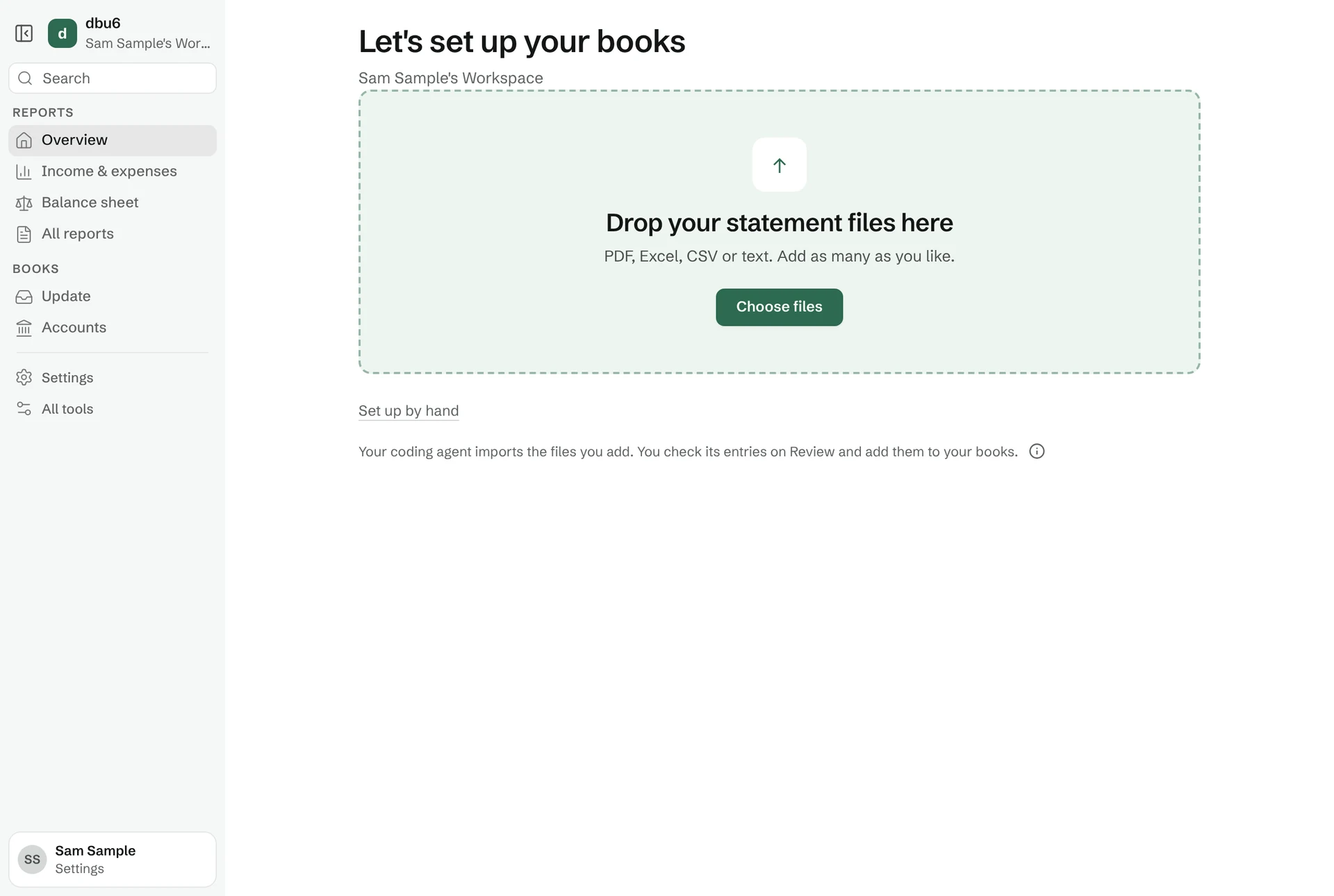
The files are listed under Files to add, where dbu6 only saves them and has read nothing yet. You can drop more files (a file you drop twice is added once), or click Remove to take a file off the list.
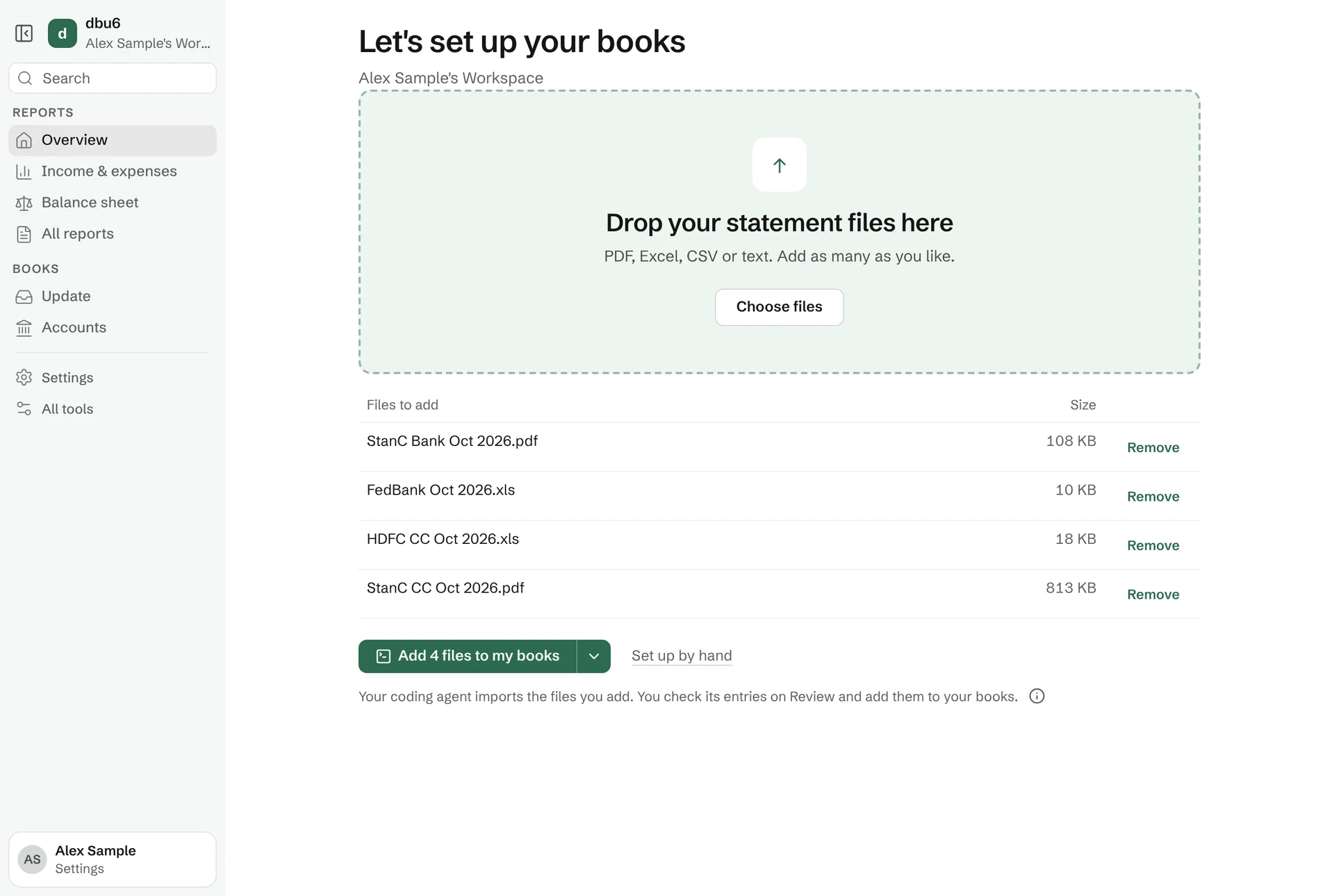
Press Add 4 files to my books (the number is how many files you dropped).
- On macOS, dbu6 opens your coding agent in a new terminal window, in your books folder, with the request already typed in.
- On Linux, dbu6 shows a command. Run it in a terminal to start the agent.
- If dbu6 can’t start your agent, it copies the request to the clipboard. Open your agent in your books folder and paste it.
Clicking the arrow beside the button shows the other options: Copy prompt and View prompt.
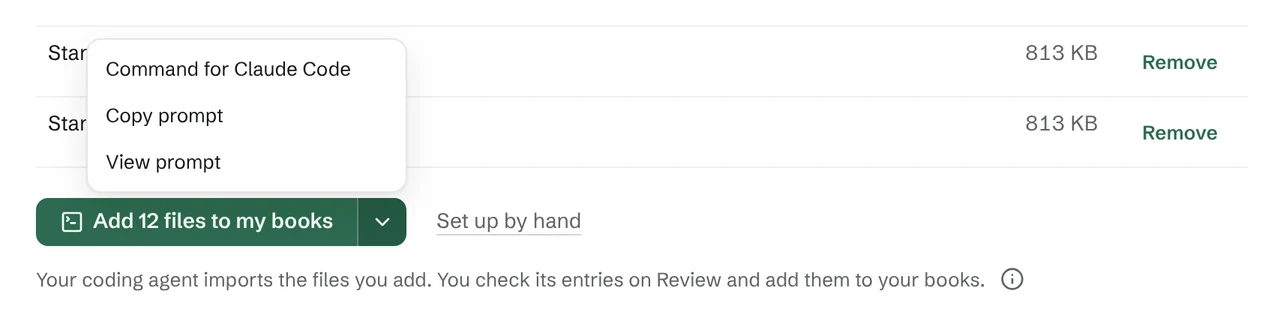
You can also skip the app by opening your agent in your books folder and telling it where the statements are:
Do my books from the statements in ~/Downloads/statementsThe agent reads the files where they are and starts the same run.
Message 1: the plan
Section titled “Message 1: the plan”The agent reads every file and your books and then replies with a plan, without changing anything until you say go.
I read 4 files. They are these accounts:
  Standard Chartered   savings account   Oct 2026   1 statement  Federal Bank         savings account   Oct 2026   1 statement  HDFC Millennia       credit card       Oct 2026   1 statement  StanC Super Value    credit card       Oct 2026   1 statement
How this works: I'll import every transaction, sort each into acategory, and ask you about the ones I can't tell, all at once.Everything waits in Review; your books change only when you add itthere. Your statements stay on this computer, except what is sent tothe AI model doing this work.
On your yes I'll  - start you on a standard set of categories, and fit it to your    spending once I've read it  - import all of it
Before I start  1  StanC Super Value: what did you owe on 2 Oct 2026? It's     "Previous balance" at the top of the October statement. Skip it,     and the card waits until you tell me.
This will take a few minutes. You can leave it running. Go ahead?
The plan lists each account the agent found, with the months its statements cover. Under the accounts, it names anything you can act on, such as a missing month and where to download it. The “Before I start” section lists only what the agent needs before it can import, for example a card’s opening balance or which account a text file belongs to, and the agent saves every other question for Message 2.
If a statement comes from a bank dbu6 can’t read yet, the plan says so, and the agent teaches dbu6 that layout before it imports. dbu6 can then read later statements in the same layout without the agent’s help.
Answer the questions and reply “go”:
1: 4,120. goThe agent at work
Section titled “The agent at work”After you say go, the agent works on its own and prints one line as each step starts or ends, for example “Imported Standard Chartered: 41 transactions, 38 already sorted”, so you can leave it running.
The agent:
- starts your chart of accounts from dbu6’s standard set,
- teaches dbu6 each statement layout it can’t read yet,
- adds each bank and card with the opening balance its first statement prints, and imports the statements,
- categorizes the transactions with your rules and the AI model, and fits the chart to what it finds,
- finds transfers between your own accounts and card bills that appear on two statements, and keeps one copy of each,
- removes exact duplicates, and checks every balance the statements print.
The transactions the agent imports stay in Review as drafts, so nothing is in your books until you add them. Also, the agent never changes a balance that a statement prints, and never deletes a transaction to make a balance check pass. Agent permissions lists everything the agent may and may not do.
Message 2: your money, and its questions
Section titled “Message 2: your money, and its questions”When the agent has done what it can, it shows you what your statements say about your money, and then asks about everything it couldn’t settle, in one message.
Here's what your statements show, Oct 2026. None of it is in yourbooks yet.
Money in                                       Count      Total  Salary, from Sample Employer      monthly        1   1,45,000  Savings Interest                  quarterly      1        412  Not sorted yet, questions below                  1      1,500
Money out, largest first  Rent                              monthly        1     35,000  Groceries                                       11     14,860  Food Delivery                                    9      6,240  Fuel                                             3      5,100  Other, 9 categories                             21     18,930  Not sorted yet, questions below                  1     10,000
Between your own accounts  Card bills paid from Standard Chartered          2     36,479  Standard Chartered to Federal Bank               1     20,000
Your categories  I started you on a standard set and fitted it to the above: added  Food Delivery under Food. 61 more standard ones wait unused, such  as Insurance and Travel; they're there when you need them.  To rename, merge or drop any, say so.
Doing these unless you say otherwise  1  AMAZON PAY INDIA (3 · 2,270)           → Shopping        rule: contains "AMAZON PAY"  2  MYNTRA DESIGNS (1 · 1,810)             → Clothing        rule: contains "MYNTRA"  3  BILLPAY HDFC CREDIT CARD (1 · 31,279)  → HDFC Millennia  transfer, both statements
Need your call  4  ACH D- HDFC BANK CAR LOAN EMI (1 · 10,000)   2026-10-05       a) HDFC Car Loan   b) Loan Interest   c) something else   e) skip  5  IMPS CR/SAMPLE SENDER (1 · 1,500)            2026-10-09       a) Gifts Received  b) Receivables     c) something else   e) skip
Accounts I'll create  6  HDFC Car Loan   under Liabilities:Loans   (for 4a, if you pick it)  7  Gifts Received  under Income              (for 5a, if you pick it)
Cash, deposits and loans have no statement, so their balance iswhat you held or owed on 2026-09-30, the day your books start  8  Cash in hand                held   amount?  9  Fixed deposits              held   amount? 10  Anything else you hold or owe: its name, held or owed, and the amount
Reply in shorthand if you like: ok accepts 1–3, 4a 5a picks options,6 no declines an account, rest skip skips the rest.
You can answer in shorthand or in plain sentences:
ok 4a 5a 8 8000 rest skipEach answer that applies to more than one transaction becomes a rule, so the agent categorizes the same payee on its own next month and doesn’t ask again. If you ask the agent to change the categories in your reply, for example “put Rent under Housing”, it changes them too.
There is no second round of questions, so anything your answers leave open is listed in Message 3.
Message 3: what to do now
Section titled “Message 3: what to do now”The run ends with a report that lists your next steps first, followed by what the agent changed:
Your books are ready to review: http://localhost:2345/review
What to do now  1  Open Review and add the ready accounts to your books.     All four go in together: the transfer and the card bills     tie them.
Ready to add          Transactions  Sorted by you  Matches the statementStandard Chartered              41              2  every day (31)Federal Bank                     5              0  every day (5)HDFC Millennia                  19              0  every day (1)StanC Super Value                5              0  every day (1)
What I changed  New categories      Food Delivery (under Food),                      HDFC Car Loan (under Liabilities:Loans),                      Gifts Received (under Income)  New rules           contains "AMAZON PAY" → Shopping (3)                      contains "MYNTRA" → Clothing (1)  Opening balances    Cash in hand 8,000Still open            -Skipped               Fixed deposits: no balance given
If an account isn’t ready, the report lists it under “Not ready” with the reason, and “What to do now” says what you can do about it.
Add them to your books
Section titled “Add them to your books”Open the link in the report to go to Review, which lists each account and how many transactions are ready. Clicking Add 70 entries from 4 accounts to my books adds every ready account in one go. If you tell the agent “add them to my books” instead, it adds the same accounts.
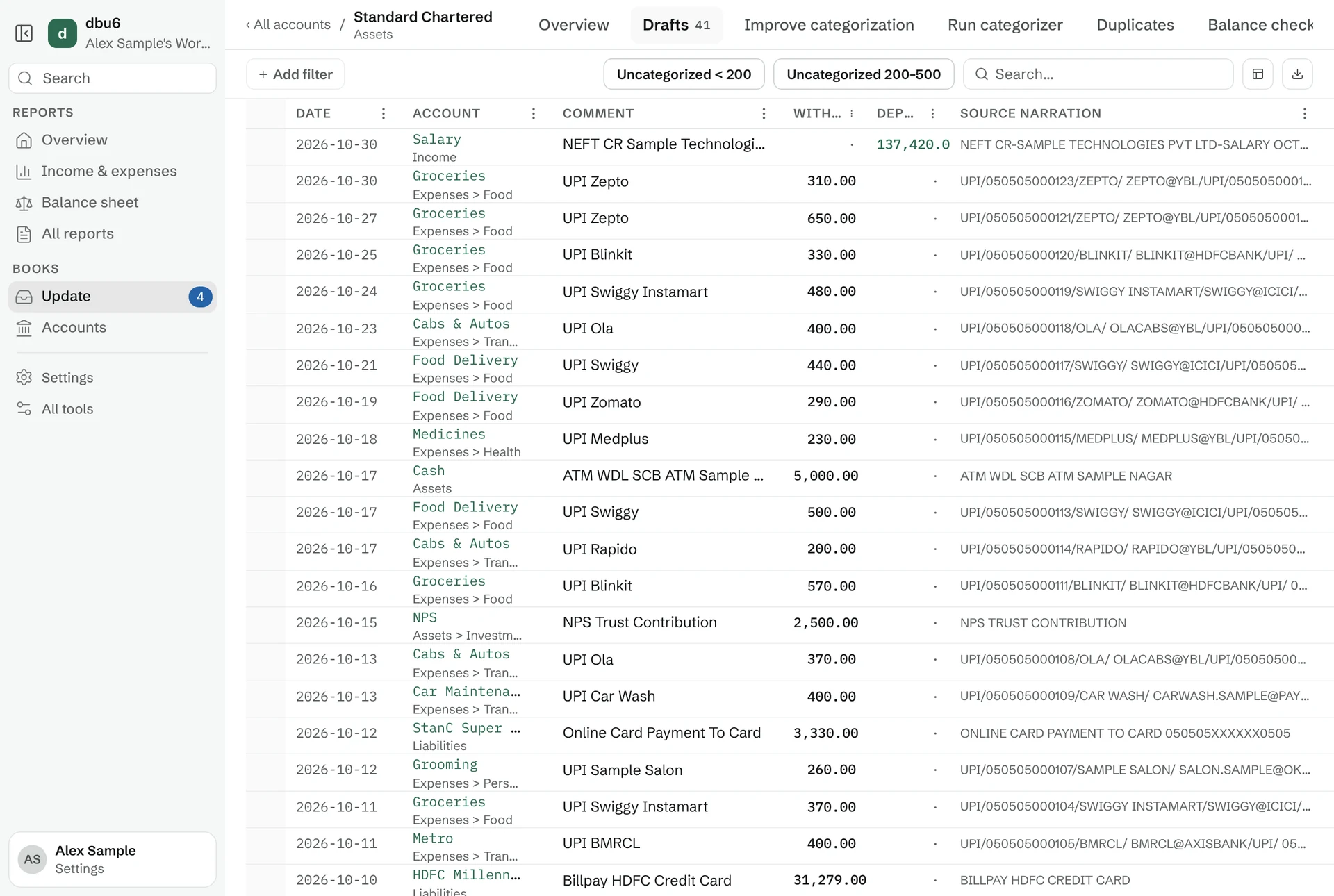
Before you add an account, you can open it on Review to look at its transactions and checks:
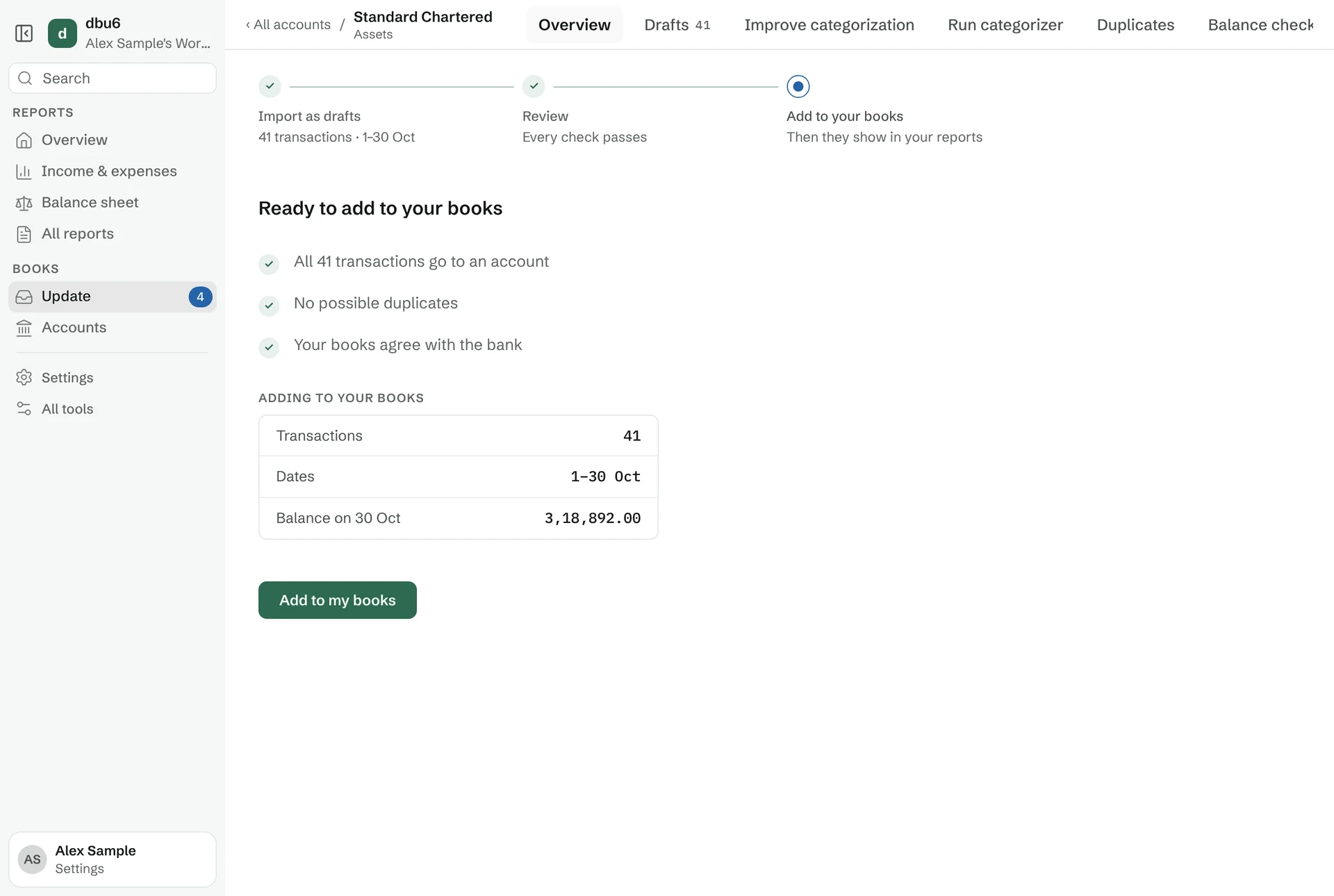
The Drafts tab lists every transaction with the account it goes to, and you can change any of them before you add the account.
Once the accounts are added, the transactions show in Overview and your reports.
Keep your books up to date describes the monthly run, which is the same as this one with fewer questions. Things to ask your agent lists what else the agent can do in your books.